How Ghost Mode Works in WhatsApp Plus
Among all the features that draw people toward WhatsApp Plus, one name comes up more often than almost any other: ghost mode. It’s talked about in forums, mentioned in comparison articles, and often cited as the single biggest reason people decide to try the modified app in the first place. But despite how frequently it’s mentioned, a lot of people don’t actually understand how it works under the hood, what it does and doesn’t hide, and how to use it effectively without running into confusion or unexpected surprises. This article breaks the entire feature down clearly, from the mechanics behind it to practical everyday use.

What Ghost Mode Actually Is
At its core, ghost mode is a privacy feature that allows you to open, read, and browse through your chats without triggering the usual signals that let other people know you’re active on the app. Under normal circumstances, when you open a conversation and read a message, the other person typically sees a “read” confirmation, and your online status may update to show you’re currently active. Ghost mode interrupts this entire signaling process, letting you move through the app in a way that’s essentially invisible to the people you’re chatting with.
This is different from simply turning off read receipts in the official app, because official WhatsApp’s privacy settings tend to be more binary and far-reaching, whereas ghost mode gives a more complete sense of invisibility across multiple types of activity indicators at once.
The Core Mechanics Behind Ghost Mode
To understand how ghost mode functions, it helps to know what signals a messaging app normally sends between users during normal use. Every time you open a conversation, several small pieces of information typically get communicated in the background:
- Your online or last-seen status updates
- Read receipts get triggered for messages you’ve viewed
- Typing indicators activate when you begin composing a reply
Ghost mode works by intercepting and suppressing these background signals before they get sent, essentially telling the app’s underlying communication system to skip these particular updates while the feature is active. From the other person’s perspective, it’s as though you never opened the conversation at all, even though you’re actively reading through it on your end.
What Ghost Mode Hides
Understanding exactly what gets hidden helps set the right expectations before you start relying on this feature regularly. When properly activated, ghost mode typically hides:
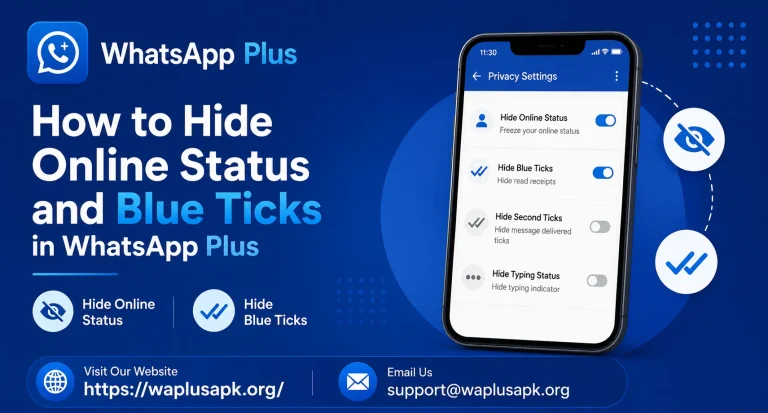
- Your online status while actively browsing chats
- Read receipts (blue ticks) on messages you’ve opened
- Your last-seen timestamp from updating during that session
- Typing indicators if you begin composing a message while ghost mode remains active
What Ghost Mode Doesn’t Hide
Just as important as knowing what it hides is understanding its limitations, since misunderstanding this is where a lot of confusion and awkward situations tend to come from.
Sending a message still shows you as active.
The moment you actually send a reply, that message obviously reaches the other person, and depending on your other settings, some activity indicators may briefly reflect that you were online at that moment.
It doesn’t hide message delivery confirmations.
The single grey or blue tick showing a message was delivered to the recipient’s device still functions normally, since that’s a more fundamental part of how the messaging system confirms successful delivery.
It’s not the same as being genuinely offline.
You’re still connected to the internet and receiving messages in real time — ghost mode simply prevents certain activity signals from being sent back to other users, rather than disconnecting you entirely.
How to Enable Ghost Mode
Activating this feature is typically straightforward once you know where to look. Inside the app’s settings, usually within a dedicated privacy or WhatsApp Plus settings menu, you’ll find the toggle for ghost mode. Once enabled, it generally applies across the app broadly, though some versions allow more granular control, letting you activate it for specific conversations rather than universally.
It’s worth spending a few minutes exploring the specific settings menu on your installed version, since interface layout and exact toggle names can vary slightly between different builds of the app.
Practical Everyday Situations Where Ghost Mode Helps
Understanding the mechanics is useful, but seeing how people actually use this feature in daily life makes its appeal much clearer.
Catching up on messages without pressure to reply immediately.
A lot of people feel a subtle social obligation to respond quickly once someone sees they’ve read a message. Ghost mode removes that pressure, letting you read through messages at your own pace before deciding when and how to respond.
Checking group chats without appearing overly active.
In busy group conversations, some people prefer not to signal that they’re constantly checking the chat, and ghost mode allows for casual browsing without that visibility.
Managing work-life boundaries.
For people who use WhatsApp for both personal and professional contacts, ghost mode offers a way to check important messages after hours without appearing officially “back online” and available.
Avoiding awkward social dynamics.
Sometimes you simply want to read a message and think about your response without the other person watching a “read” status appear and then waiting anxiously for a reply.
Common Misunderstandings About Ghost Mode
A few misconceptions tend to circulate around this feature, and clearing them up helps set realistic expectations.
Misconception: It makes you completely undetectable. As covered earlier, sending messages and certain delivery confirmations still function normally, so it’s not a total invisibility feature in every possible sense.
Misconception: It works retroactively on already-read messages. Ghost mode only affects behavior going forward from the moment it’s activated — it doesn’t retroactively hide read receipts for messages you’d already opened before turning the feature on.
Misconception: The other person will never know you have this feature. While ghost mode itself is invisible in the sense that it doesn’t announce itself, patterns can sometimes become noticeable over time if someone pays close attention to inconsistencies between your typical activity and message response timing.
Ghost Mode Compared to Standard Privacy Settings
Official WhatsApp does offer some privacy controls, like hiding your last-seen status or read receipts, but these tend to apply universally and often come with trade-offs — for example, disabling read receipts for others also disables your ability to see when others have read your own messages. Ghost mode in WhatsApp Plus frequently allows more flexible, situational control, letting you toggle the feature on when needed rather than committing to an all-or-nothing privacy setting permanently.
Is Using Ghost Mode Considered Dishonest?
This is a genuinely interesting question that comes up in discussions about the feature, and it’s worth addressing directly rather than avoiding it. Some people feel that hiding activity status from friends or family crosses into deceptive territory, while others see it as no different from simply not answering a phone call immediately — a reasonable personal boundary rather than active dishonesty.
There’s no universally correct answer here; it largely depends on the nature of your relationships and how you personally view digital communication boundaries. Being thoughtful about how and when you use the feature, particularly with people you’re close to, is a reasonable approach that avoids unnecessary tension.
Battery and Performance Considerations
Some users wonder whether constantly suppressing these background signals affects battery life or app performance in any noticeable way. Generally speaking, the resource impact is minimal, since the feature simply prevents certain small data packets from being sent rather than requiring additional processing power. Most users report no meaningful difference in battery consumption directly attributable to having ghost mode enabled.
Combining Ghost Mode With Other Privacy Features
Ghost mode works particularly well when combined with other WhatsApp Plus privacy features covered elsewhere, such as selective blue tick hiding and DND mode. Together, these features let you build a genuinely comprehensive privacy setup tailored specifically to how you personally want to manage your visibility and availability across different contexts and relationships.
Frequently Asked Questions
Final Thoughts
Ghost mode stands out as one of the most genuinely useful privacy features found in WhatsApp Plus, precisely because it addresses a specific, relatable frustration that a huge number of people experience with standard messaging apps — the pressure that comes from others knowing exactly when you’ve seen their message. Understanding both its capabilities and its limitations helps you use it thoughtfully and effectively, getting real value from the feature without misunderstanding what it can and can’t actually do. Whether you use it occasionally for quiet browsing or rely on it consistently as part of your daily privacy habits, knowing exactly how it works under the hood makes it a far more useful tool than treating it as a vague, magical “invisibility switch.”